We may earn a commission when you buy through links on this page. It doesn’t change what we recommend.
Our picks at a glance
- Herman Miller Aeron Best Overall Check price Best Overall
- Steelcase Leap Best for Moving Around Check price Best for Moving Around
- Haworth Zody Best Lumbar Adjustment Check price Best Lumbar Adjustment
- Ergohuman ME8ERG Best Mid-Range Mesh Chair Check price Best Mid-Range Mesh Chair
- SIHOO M57 Best Budget Pick Check price Best Budget Pick
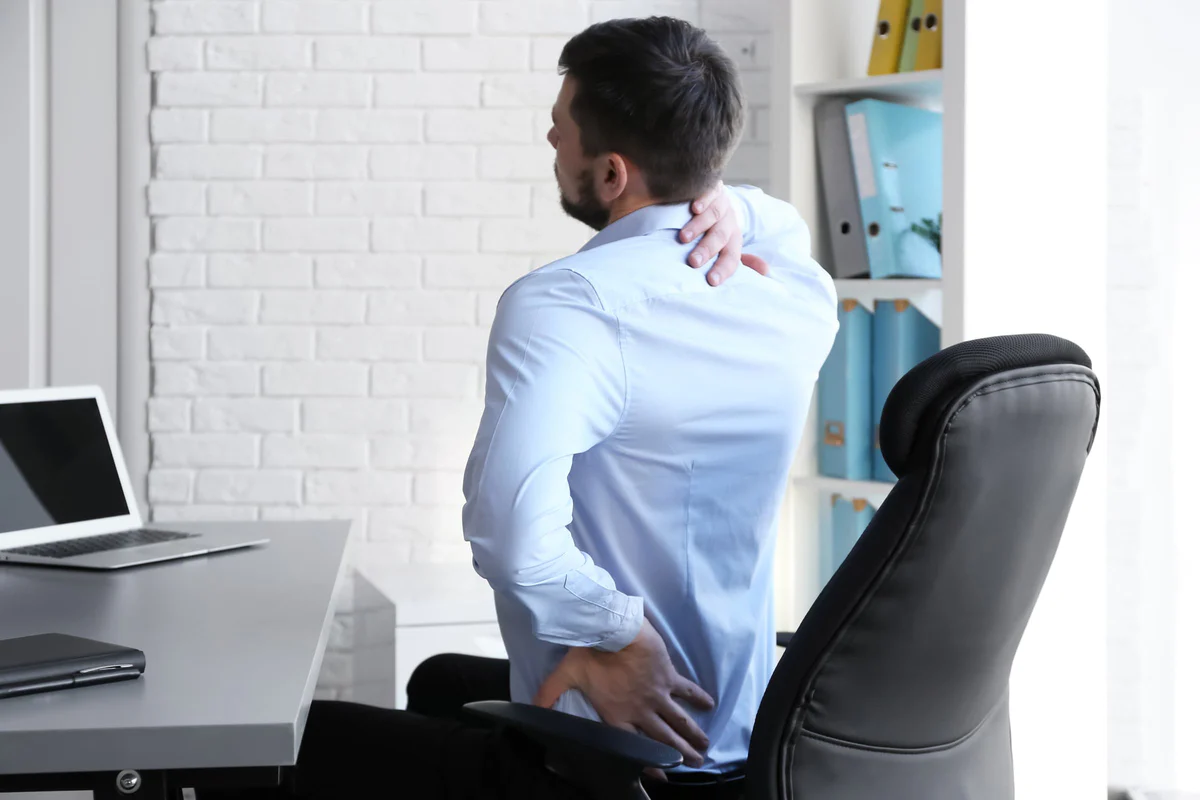
Back pain is a common issue for many office workers. Sitting for long hours can strain your back, leading to discomfort. A good office chair can make a big difference by offering comfort and support, easing this pain. An ergonomic chair is specifically designed to support your spine, improve posture, and promote a healthier sitting position. Investing in a quality office chair is essential for both comfort and productivity.
Choosing the right office chair is crucial for comfort and well-being. A chair that offers proper support can improve posture and reduce strain, thus helping you feel better and work more efficiently. Given the amount of time most people spend sitting at their desks, it’s essential to find a chair that will minimize back pain and maximize comfort.
Significance of Ergonomic Chairs
Ergonomic chairs are designed to support the natural curve of your spine, reducing strain on your muscles and joints. These chairs are highly adjustable, allowing users to modify the height, tilt, and lumbar support to suit their needs. This helps in maintaining proper posture and alleviating back pain, particularly lower back pain, which is common in office workers.
Common Back Pain Issues
Back pain is a widespread problem, especially for those who spend long hours sitting at a desk. Prolonged sitting can lead to muscle stiffness and poor posture, both of which contribute to back pain. Lower back pain is particularly prevalent due to the lack of lumbar support in many chairs. Upper back pain, which can result from hunching over a desk, is also common. Choosing the right office chair can help reduce these issues by promoting a healthier sitting posture.
Key Features to Consider
When selecting the best office chair for back pain, there are several key features to ensure comfort and support. These include adjustable lumbar support, high-quality seat cushions, and proper adjustability.
Adjustable Lumbar Support
A chair with adjustable lumbar support is essential for maintaining the natural curve of your spine and preventing lower back pain. This feature allows you to customize the support to suit your body’s needs, helping reduce strain and promote better posture.
Seat Cushion Quality
A high-quality seat cushion is vital for long hours of sitting. It should be thick enough to provide adequate support without you feeling the chair’s base. Memory foam and gel cushions are excellent choices as they conform to the shape of your body, providing optimal comfort and relieving pressure points.
Top Office Chair Brands
Several reputable brands are known for producing high-quality ergonomic chairs that are great for alleviating back pain.

1. Herman Miller
Herman Miller chairs are well-known for their ergonomic design, with excellent lumbar support. The Aeron chair is one of their most popular models. It features adjustable settings to fit various body types, and its breathable mesh back keeps you cool during long hours.
2. Steelcase
Steelcase chairs, such as the Leap model, are known for their dynamic support. The Leap chair has flexible backrests that move with your spine, ensuring better posture. Additionally, its seat depth adjustment provides ample leg support, which is essential for reducing lower back pain.
Budget-Friendly Choices
You don’t have to break the bank to find a good office chair for back pain. Many budget-friendly ergonomic chairs offer adequate support and comfort.
| Chair | Price Range | Features |
|---|---|---|
| OFM Essentials Collection | $100 – $150 | Adjustable height, lumbar support, padded armrests |
| Modway Articulate Ergonomic Chair | $150 – $200 | Breathable mesh back, adjustable seat height, tilt tension |
| Hbada Office Task Desk Chair | $120 – $180 | Flip-up arms, ergonomic backrest, space-saving design |
Luxury Office Chairs
For those willing to invest in premium comfort, luxury office chairs provide unmatched ergonomic design and quality materials. These chairs often come with advanced features like built-in massagers and heaters, offering a higher level of comfort and support.
Top Luxury Models
- Herman Miller Aeron: Known for its excellent lumbar support and breathable mesh back.
- Steelcase Leap: Offers great lumbar support and adjustability.
- Humanscale Freedom: Features a sleek design and self-adjusting recline for comfort without manual adjustments.
Chairs for Lower Back Pain
When dealing with lower back pain, it’s important to choose a chair that provides proper lumbar support and helps maintain the spine’s natural curve.
Recommended Models
Here are some top office chairs that offer excellent support for lower back pain:
| Model | Key Features |
|---|---|
| Herman Miller Aeron | Fully adjustable lumbar support, breathable mesh, adjustable seat depth, and tilt mechanism. |
| Steelcase Leap | LiveBack technology, adjustable lumbar support, flexible seat edge, and dynamic seat and back movement. |
| SIHOO M57 | Lumbar support adjustable in height and depth, adjustable headrest, 90°–126° recline, and a 330 lb weight capacity. |
| Ergohuman High Back | Adjustable headrest, synchro-tilt mechanism, dynamic lumbar support, and breathable mesh. |
| Haworth Zody | Pelvic and lumbar support, asymmetrical adjustment, breathable mesh, and ergonomic design. |
Our Picks for Back Pain
These five chairs cover a wide price range, but each one has adjustable or dynamic lumbar support. We’ve listed the main specs from each Amazon listing so you can compare them.
Best Overall
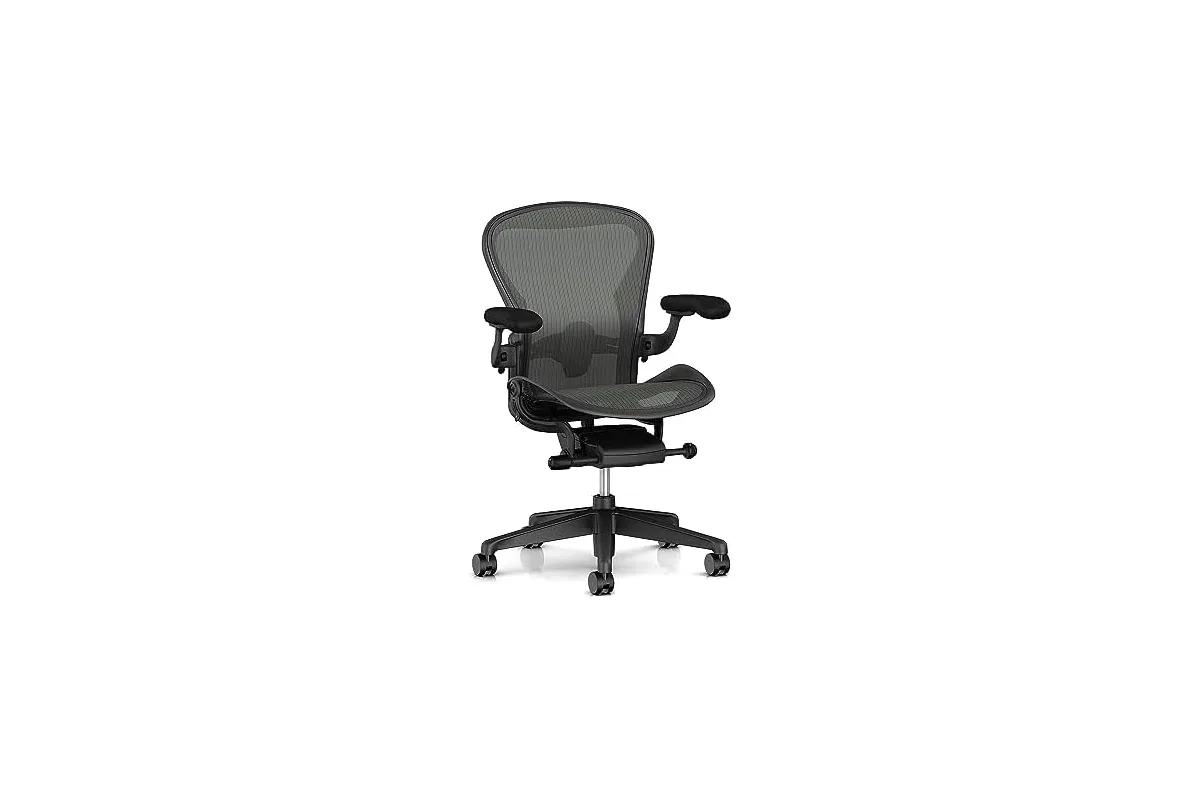
Pick the Aeron if you want a chair that will last for many years and you prefer mesh to foam. It's a good fit for people with lower back pain who run warm and sit for full workdays.
- Size
- B (fits about 5'3″–6'6″, 140–300 lb)
- Seat and back
- 8Z Pellicle suspension mesh
- Lumbar
- adjustable lumbar support
- Arms
- height-adjustable
- Casters
- carpet casters
- Assembly
- ships fully assembled
Why we like it
- Mesh stays cool during long sessions
- Adjustable lumbar support for the lower back
- Arrives ready to use
- Wide height and weight range for Size B
Keep in mind
- Expensive even at the Amazon price
- Comes with carpet casters only
- Sold by a third-party seller, not Herman Miller
- Only Size B on this listing
Read the full write-up
The Aeron is still the chair most people picture when they think of an ergonomic office chair, and for back pain it earns that spot. Instead of foam, the seat and back use Herman Miller’s 8Z Pellicle mesh, which is woven with eight zones of different tension. The idea is to spread your weight evenly and keep heat from building up, which matters when you sit for six or eight hours.
For your lower back, this version has adjustable lumbar support. Herman Miller describes it as pads that stabilize the base of the spine, so you can sit upright without slumping into the backrest. The arms adjust in height and the chair supports you through the whole recline range.
This listing is Size B, the middle size, rated for people roughly 5’3″ to 6’6″ tall and 140 to 300 pounds. It ships fully assembled and comes with carpet casters, so buy a separate set if you work on hard floors. The listing we link is sold by a third-party seller (CHAIRORAMA) rather than Herman Miller directly, so check the seller and warranty terms before ordering.
Best for Moving Around
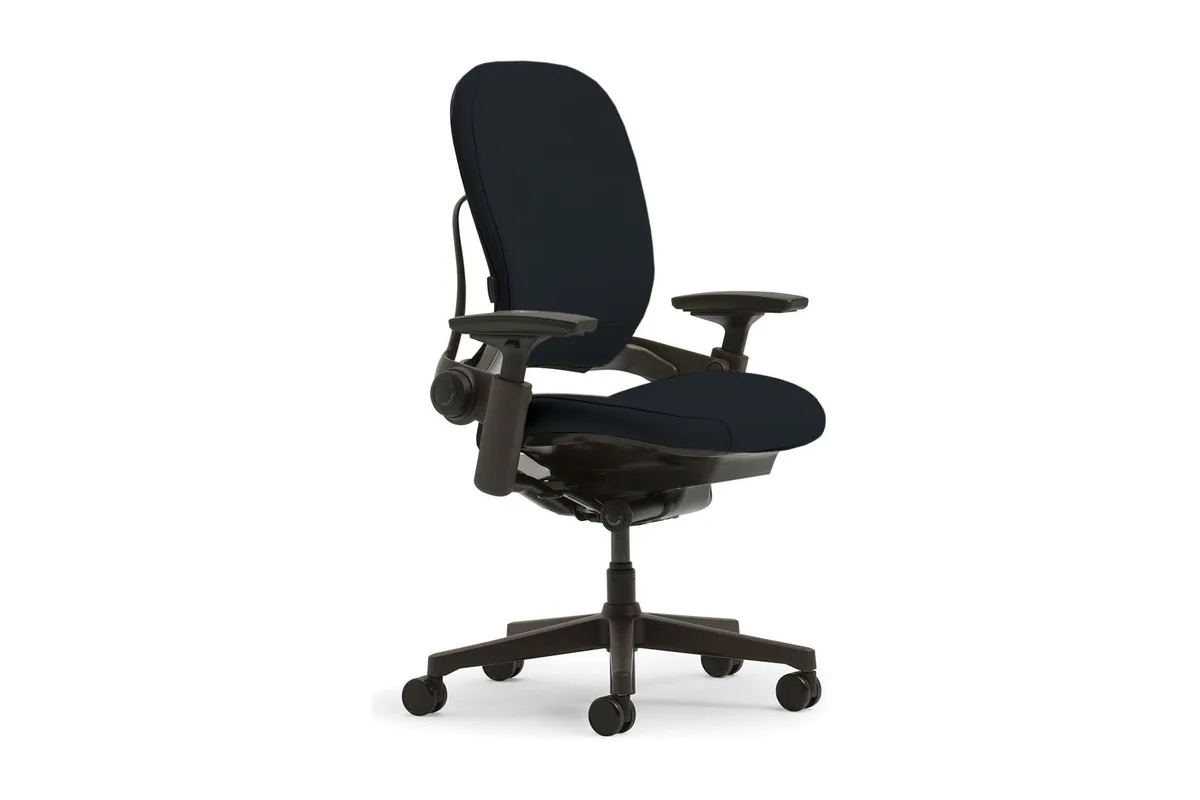
The Leap suits people who shift, lean and recline a lot during the day. If you want firm, adjustable lower back support and plan to keep the chair for years, it's worth the price.
- Back
- LiveBack technology, flexes with the spine
- Lumbar
- lower back firmness dial
- Seat
- Natural Glide System, 18.75 in deep
- Weight capacity
- 400 lb
- Assembly
- none required
Why we like it
- Backrest moves with you instead of fighting you
- Lumbar firmness is easy to dial in
- High 400 lb weight rating
- No assembly needed
Keep in mind
- Most expensive chair on this list
- Fabric back is warmer than mesh
- Price and condition vary by color on the listing
Read the full write-up
The Leap is built for people who don’t sit still. Steelcase’s LiveBack design lets the backrest change shape as you move, following the curve of your spine instead of forcing you into one position. That’s useful if your back pain gets worse when you stay locked in one posture for too long.
There’s also a lower back firmness dial, so you can set how hard the lumbar area pushes against you. The Natural Glide System slides the seat forward as you recline. That keeps you close to your desk and your eyes on the screen, so you don’t lean forward and undo the support you just set.
The listing rates the chair for up to 400 pounds, gives a seat depth of 18.75 inches and says no assembly is required. The seat and back are covered in polyester fabric, which some people find warmer than mesh. Price varies a lot by color on this listing, and a few colors are only offered used, so check the condition before you buy.
Best Lumbar Adjustment
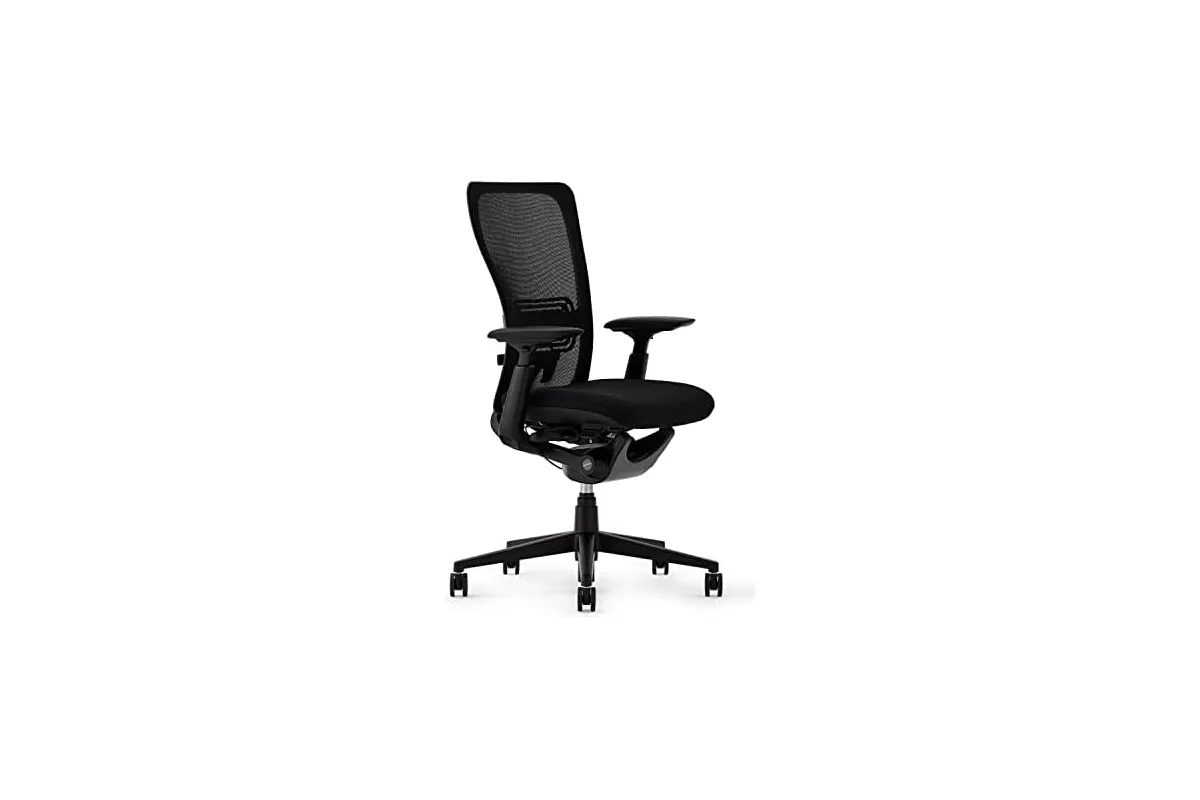
The Zody is the one to pick if your lower back pain is uneven or you have never found a lumbar setting that feels right. It costs less than the Aeron and Leap but keeps most of their adjustability.
- Lumbar
- pelvic and asymmetrical lumbar support
- Arms
- padded 4D adjustable
- Adjustments
- seat height, seat depth, tilt tension, back stop, forward tilt
- Weight capacity
- 325 lb
- Warranty
- 12 years
- Assembly
- ships fully assembled
Why we like it
- Left and right lumbar adjust separately
- Pelvic support helps keep the spine in line
- Long 12-year warranty
- Arrives assembled
Keep in mind
- Plastic base rather than metal
- Few Amazon reviews so far
- Ships in about a week, not right away
Read the full write-up
The Zody’s party trick is asymmetrical lumbar support. Haworth points out that people aren’t symmetrical, so you can adjust the support on the left and right sides of your lower back separately. If your pain sits more on one side, that is a feature few chairs offer at any price.
It also has pelvic support, which helps keep your hips from rolling back and flattening the curve of your lower spine. The rest of the adjustments are what you would expect from a serious office chair: pneumatic seat height, seat depth, tilt tension, a back stop, forward tilt and padded 4D arms.
The chair supports up to 325 pounds, arrives fully assembled and is backed by a 12-year warranty. Haworth also designed it for a “perch” position, which helps if you use a standing desk at a raised height. The listing currently shows a shipping time of about a week, and it has only a small number of Amazon reviews so far.
Best Mid-Range Mesh Chair
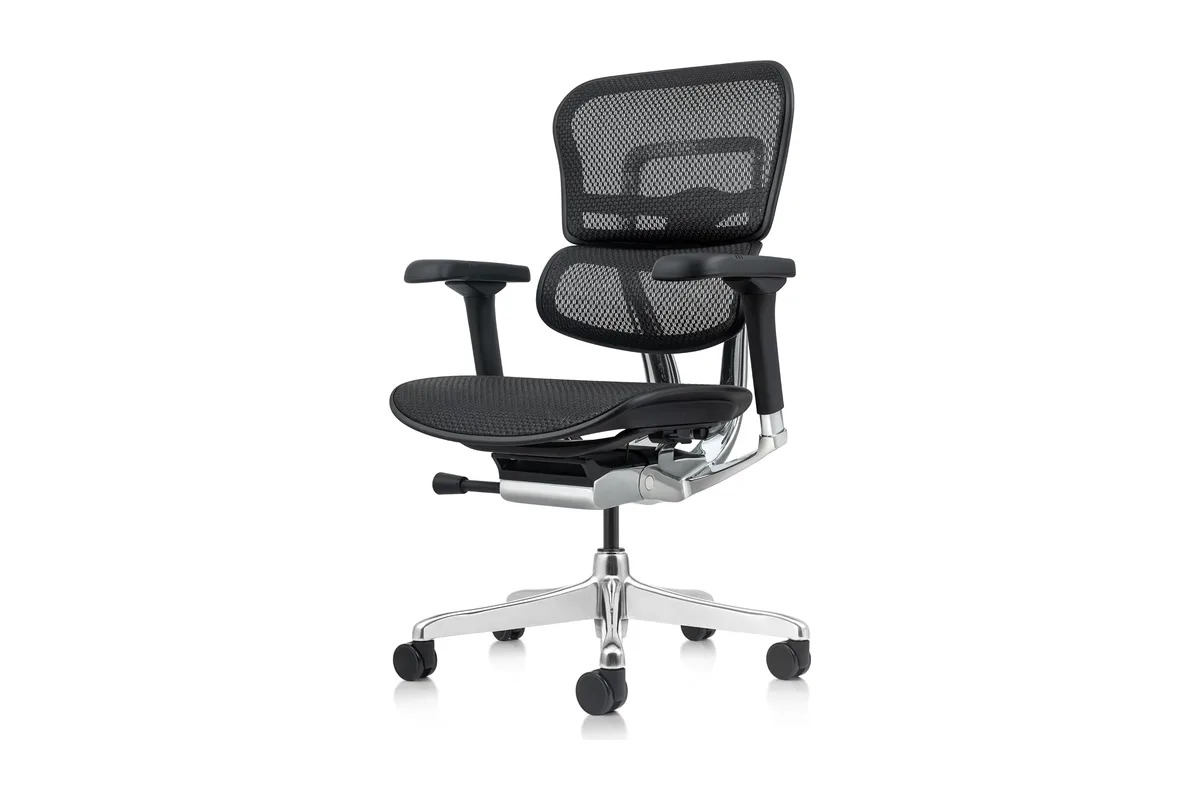
The ME8ERG is a good choice if you want proper adjustability and dynamic lumbar support but don't want to spend over $1,000. It's best for people under 275 pounds who prefer mesh.
- Lumbar
- dynamic, flexes with your movement
- Adjustments
- 8 (incl. back height, seat depth, synchro tilt)
- Weight capacity
- 275 lb
- Dimensions
- 29″D x 30″W x 44″H
- Warranty
- limited lifetime
Why we like it
- Back height adjustment helps place the lumbar support
- Seat depth adjustment
- Breathable mesh back
- Limited lifetime warranty
Keep in mind
- No headrest on this version
- Lower weight rating (275 lb) than the others
- Some assembly required
Read the full write-up
Ergohuman chairs have been a popular middle ground between budget mesh chairs and the big office brands for a long time. The ME8ERG GEN2 keeps the main thing that made them popular: a dynamic lumbar support that flexes with your body as you move, so it keeps contact with your lower back when you lean forward or recline.
The listing counts eight ergonomic adjustments, including tilt tension, tilt lock, back angle, back height, synchro tilt, seat height, seat depth and arm height. Back height adjustment is less common and helps you line the lumbar curve up with your own spine instead of settling for where the factory put it.
The back uses US-made mesh, and the chair is rated for 275 pounds. This version doesn’t include a headrest, so if you also deal with neck or upper back pain, look at the headrest version. Ergohuman backs it with a limited lifetime warranty, and the chair needs some assembly with the included tools.
Best Budget Pick
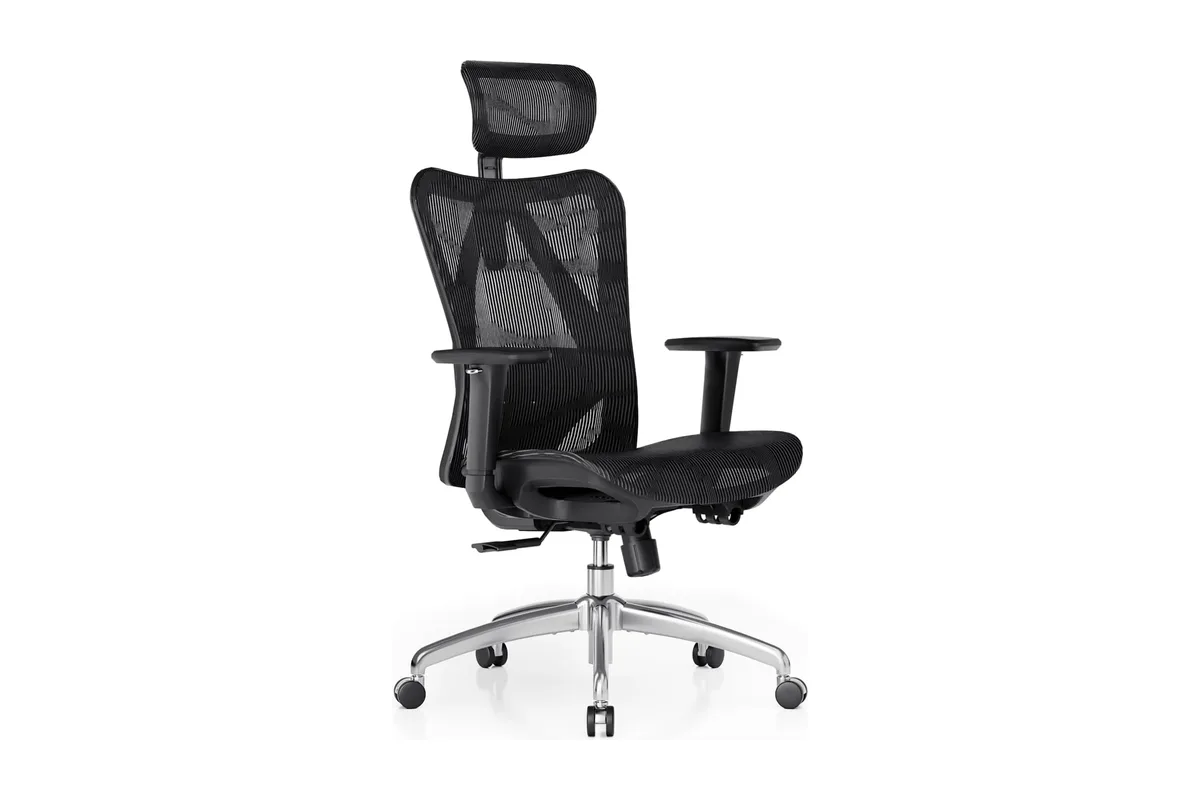
Pick the M57 if you need a chair for back pain on a tight budget. It's a good fit for home offices and for people who want lumbar and neck support without paying for a designer chair. Chairs for Upper Back Pain Upper back pain is often caused by poor posture or the lack of adequate support for the upper back and shoulders. Look for chairs with a high backrest and adjustable features to relieve this discomfort.
- Lumbar
- adjustable height and depth
- Recline
- 90°–126°
- Headrest
- adjustable
- Weight capacity
- 330 lb
- Base
- reinforced aluminum
- Warranty
- 3 years
Why we like it
- Adjustable lumbar support at a low price
- Headrest included
- Aluminum base and 330 lb rating
- BIFMA and SGS certified parts
Keep in mind
- No seat depth adjustment listed
- Shorter warranty than the premium chairs
- Ships from and sold by SIHOO, not Amazon
Read the full write-up
You don’t need to spend premium money to get real lumbar support. The SIHOO M57 is one of the best-selling ergonomic chairs on Amazon, and it covers the basics that matter for back pain at a fraction of the price of the other chairs here.
The lumbar support adjusts in both height and depth, so you can move it to the curve of your lower back and decide how firmly it presses. The backrest is split down the middle to take pressure off the spine, and the waterfall-edge seat supports your thighs without cutting off circulation. Unlike the Ergohuman above, the M57 includes an adjustable headrest, which helps if your neck and upper back also get sore.
The back reclines from 90° to 126°, the base is reinforced aluminum and the chair is rated for 330 pounds. SIHOO says key parts are BIFMA and SGS certified, and the chair comes with a 3-year warranty.
Adjustability Importance
Finding the best office chair for back pain can be a game-changer. One of the most crucial factors is adjustability. Proper adjustments can significantly reduce discomfort and improve posture. Let’s explore the key features of an adjustable chair.
Height Adjustment
Height adjustment is vital for comfort. Your feet should rest flat on the floor. Your thighs should be parallel to the ground. An adjustable chair lets you achieve this. It reduces strain on your back and legs. Look for a chair with a pneumatic height adjustment. This feature allows you to easily change the seat height with a lever.
| Height Adjustment Features | Benefits |
|---|---|
| Pneumatic Lever | Easy to adjust |
| Seat Height Range | Accommodates different heights |
| Swivel Base | Increases mobility |
Top Picks for Upper Back Pain
- Steelcase Leap: Offers excellent lumbar support and flexible backrest, which helps alleviate upper back pain.
- Herman Miller Aeron: Provides superior back support with adjustable arms and seat depth.
- Secretlab Omega: Features a multi-tilt mechanism and memory foam head pillow for additional upper back support.
Armrest Customization
Armrest customization is often overlooked. But it is crucial for reducing shoulder strain. Adjustable armrests can support your arms comfortably. This helps to relieve tension in your shoulders and neck. Look for these features:
- Height Adjustable Armrests: Ensure your arms rest at a 90-degree angle.
- Width Adjustable Armrests: Allow your shoulders to relax.
- Pivoting Armrests: Provide more flexibility for different tasks.
Customizable armrests can make a significant difference. They allow you to find a comfortable position. This reduces the risk of developing back pain. Investing in a chair with adjustable features is essential. It ensures long-term comfort and productivity.
Materials And Durability
Choosing the best office chair for back pain requires understanding its materials and durability. Quality materials ensure the chair lasts long and provides necessary support. Durability means the chair can withstand daily use without wearing out quickly.
Breathable Fabrics
Breathable fabrics keep you cool during long work hours. They allow air to circulate, preventing sweat buildup. Mesh materials are popular for their breathability and comfort. They provide support while keeping your back cool and dry.
Leather is another common material. It offers a sleek look and is easy to clean. However, leather may not be as breathable as mesh. Consider your comfort and the climate of your workspace when choosing fabric.
Sturdy Frames
A sturdy frame ensures the chair supports your weight and lasts longer. Metal frames offer excellent durability and strength. They can handle heavy use and provide stability. Look for chairs with a steel or aluminum base for better support.
Plastic frames are lighter but may not be as durable. High-quality plastics can still provide good support and last long. Check the chair’s weight capacity to ensure it suits your needs.
In summary, choose breathable fabrics for comfort and sturdy frames for durability. Your back will thank you for investing in a quality office chair.

Health Benefits of Ergonomic Chairs
Ergonomic chairs offer several health benefits, including:
- Improved Posture: Proper support helps maintain spinal alignment and reduces strain.
- Reduced Pain: Lumbar support and cushioning help prevent back pain.
- Enhanced Productivity: Comfort and support allow you to focus on work without discomfort.
Comparison Of Popular Models
Choosing the best office chair for back pain can be overwhelming. There are numerous models available with varying features and prices. This section compares popular models to help you make an informed decision. Let’s dive into the key aspects of each model under the following headings:
Features Vs. Price
| Model | Price | Key Features |
|---|---|---|
| Herman Miller Aeron | About $999 on Amazon |
|
| Steelcase Leap | About $1,450–$1,550 on Amazon |
|
| Secretlab Omega | $399 |
|
Conclusion and Recommendations
Choosing the best office chair for back pain is essential for improving comfort and productivity. Look for ergonomic designs that offer lumbar support, adjustable features, and high-quality materials. Whether you choose a high-end model like the Herman Miller Aeron or a more budget-friendly option like the OFM Essentials Collection, the right chair can make a significant difference in your health and overall work experience.
Frequently Asked Questions
- What Is the Best Office Chair for Back Pain? The best office chair for back pain is ergonomic and offers proper lumbar support to reduce discomfort.
- How Can an Office Chair Help with Back Pain? By promoting proper posture and providing lumbar support, an office chair can alleviate strain on your spine and muscles.
- What Features Should I Look for in an Office Chair? Look for adjustable lumbar support, seat height, and cushion quality to ensure comfort and reduce back pain.
- Does Lumbar Support Really Help with Back Pain? Yes, lumbar support helps maintain the natural curve of your spine, which is crucial for reducing back pain.
- How Important Is Chair Adjustability for Back Pain? Highly important. Adjustable chairs allow you to tailor the chair to your body’s needs, improving comfort and support.